Job Accuracy & Track and Trace
Plavidian Connect Camera Verification™
As each piece runs, Cognex machine-vision cameras read it and verify it against the job's expected list. A piece that does not read cleanly, or does not match what should be there, is automatically diverted for controlled recovery and reprint. The line does not just address pieces, it confirms each one.
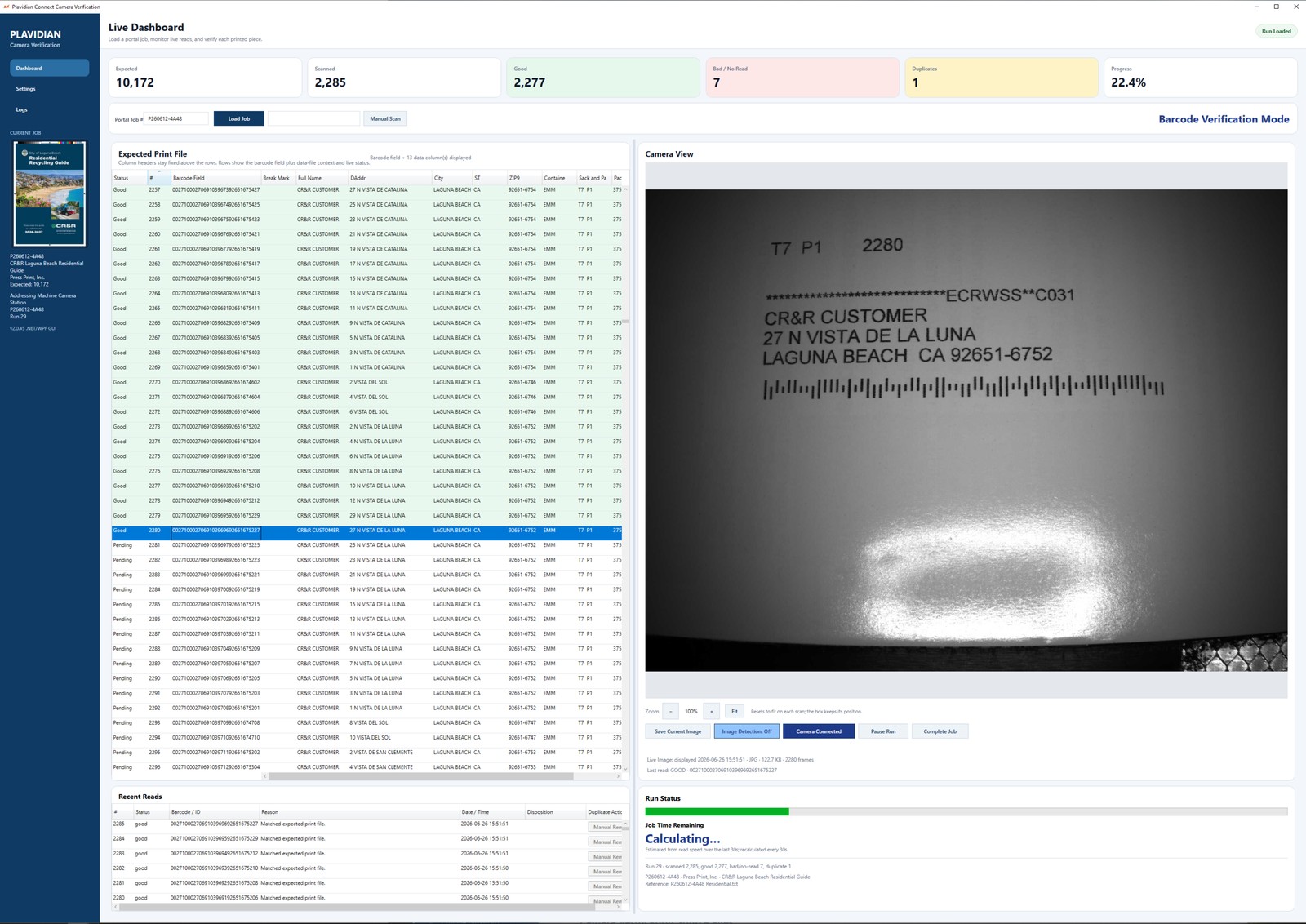
The live dashboard matches each printed piece against the expected print file in real time, tracking good, bad and no-read, and duplicate counts as the run proceeds.
How it works
Read, check, divert, recover
Reads every piece
Cameras read the address and barcode data on each piece as it runs, at production speed.
Checks against the list
Each read is matched to the expected print file bound to that job, not to a generic count.
Diverts failures
Misfeeds, double-feeds, jams, out-of-sequence, and poorly printed pieces are pulled off the line automatically.
Controlled recovery
Diverted pieces are reprinted and re-run so the list is completed, not abandoned.
What it catches
The failures that otherwise go unnoticed
Unreadable or missing data
A piece that will not read cleanly is caught in production rather than discovered by the recipient who never got it.
Mechanical failures
Misfeeds, double-feeds, and jams remove pieces from a run while the counter still reports them as addressed.
Wrong or duplicated pieces
Out-of-sequence and duplicate pieces are identified against the expected file instead of shipping unnoticed.
Documented
Proof in your portal, not a promise
Print and Camera Audit reports are available for completed jobs in your Plavidian Connect customer portal, so you can review and keep the record of exactly what ran, piece by piece.